Case Study
Be Your Best Self : Fitness App UX Design
~
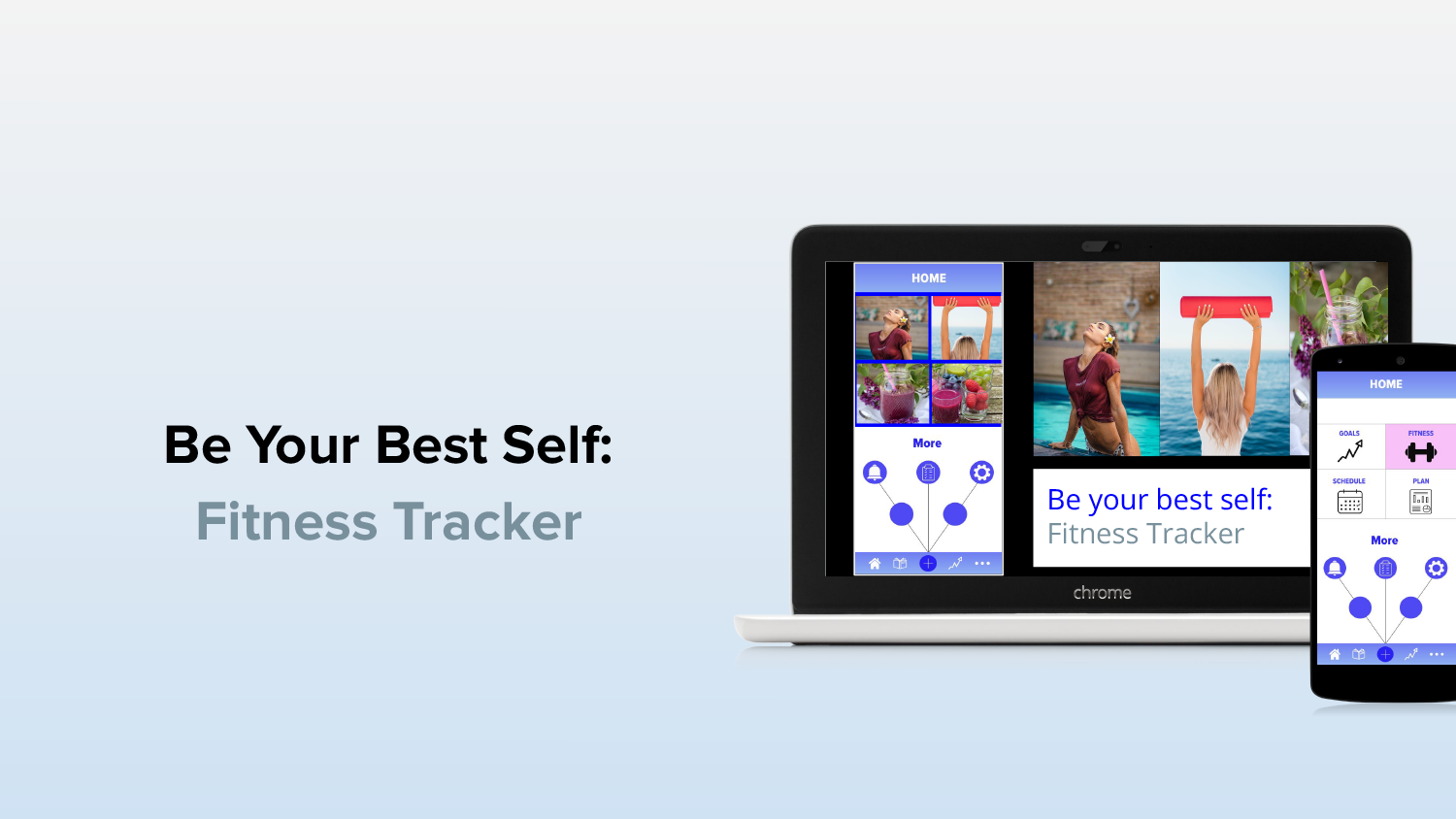
Background: Goal trackers are very useful for individuals who would like to keep track of their progress. There could be various types of goals, such as fitness, career or personal. For the purpose of this research, we would like to focus on Fitness Goals.
Problem Statement:
Women these days face many challenges to stay fit in their busy scheduels, while balancing kids, family, relationships and careers.
Solutions & Goals:
To create an app that helps women within the age range of 20 - 45 to reach their fitness goals. Research Questions:
UX Design
Thinking Process
I believe that great design is a combination of elegance, structure, and usability, all threaded together in a unifying theme. I have a unique talent that gives me the insight to pull the client’s needs together with imagination, optimism and ultimately expressing the greatest final outcome.
- Year: 2022-2023
- Client: Academy of Art U.
- Screens: 40+
- Software: Adobe XD
Discover: User Research, Design Strategy, Competitive Analysis
Define: Affinity Map, Persona, Empathy Map, Journey Map
Ideate: User Flow, Card Sorting, IA
Design: Low-fi Wireframes, Hi-fi Wireframes, Visual Design, Prototype
Test: Usability Testing, Feedback
Discover
User Research
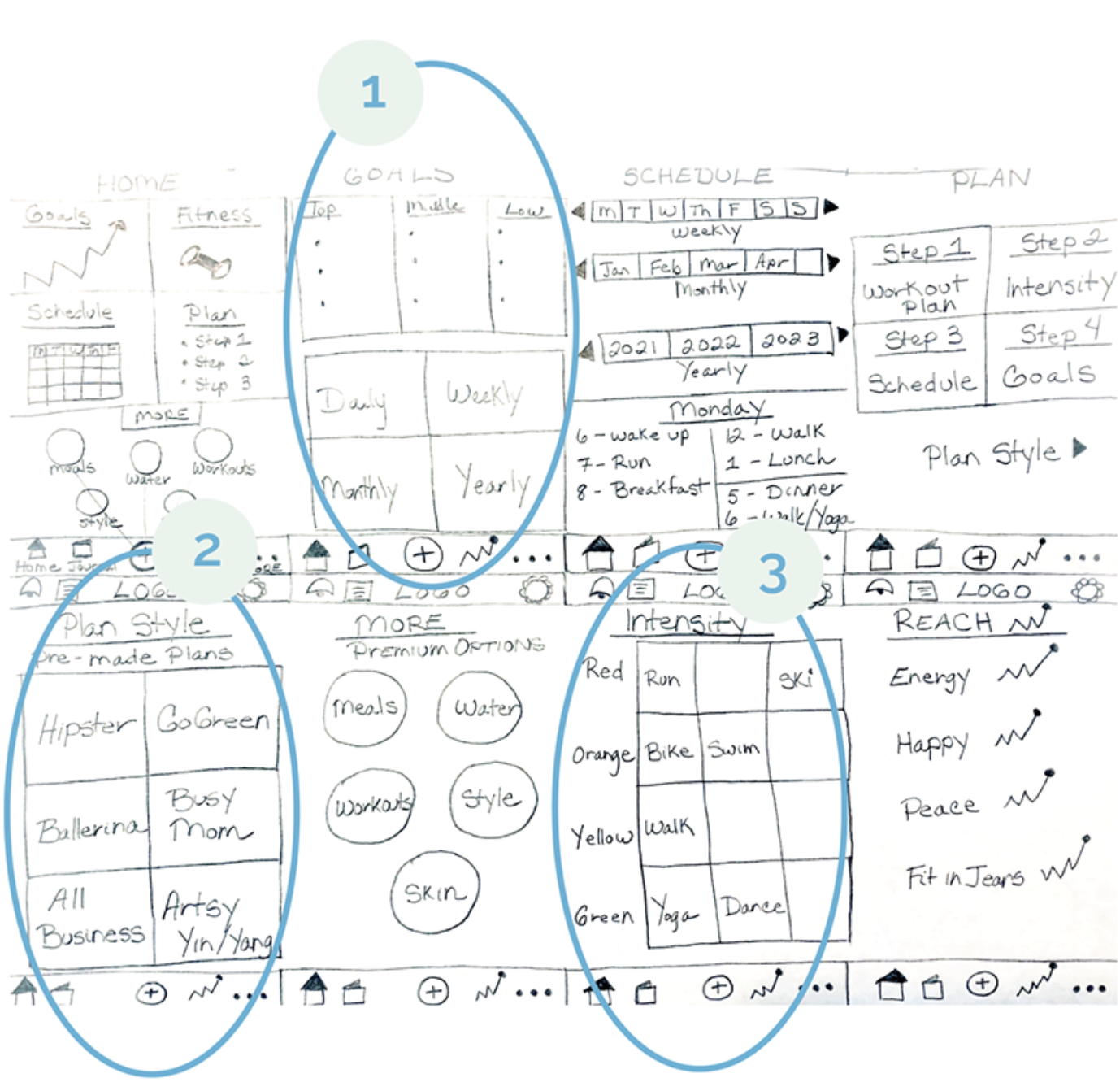
User Research focuses on understanding user behaviors, needs and motivations. I have researched 3 main users and followed 2 main methods: user research and testing. 3 main tasks were created: 1) Fitness Goals, 2) Plan Style, and 3) Intensity.
02. Empathy Research
~
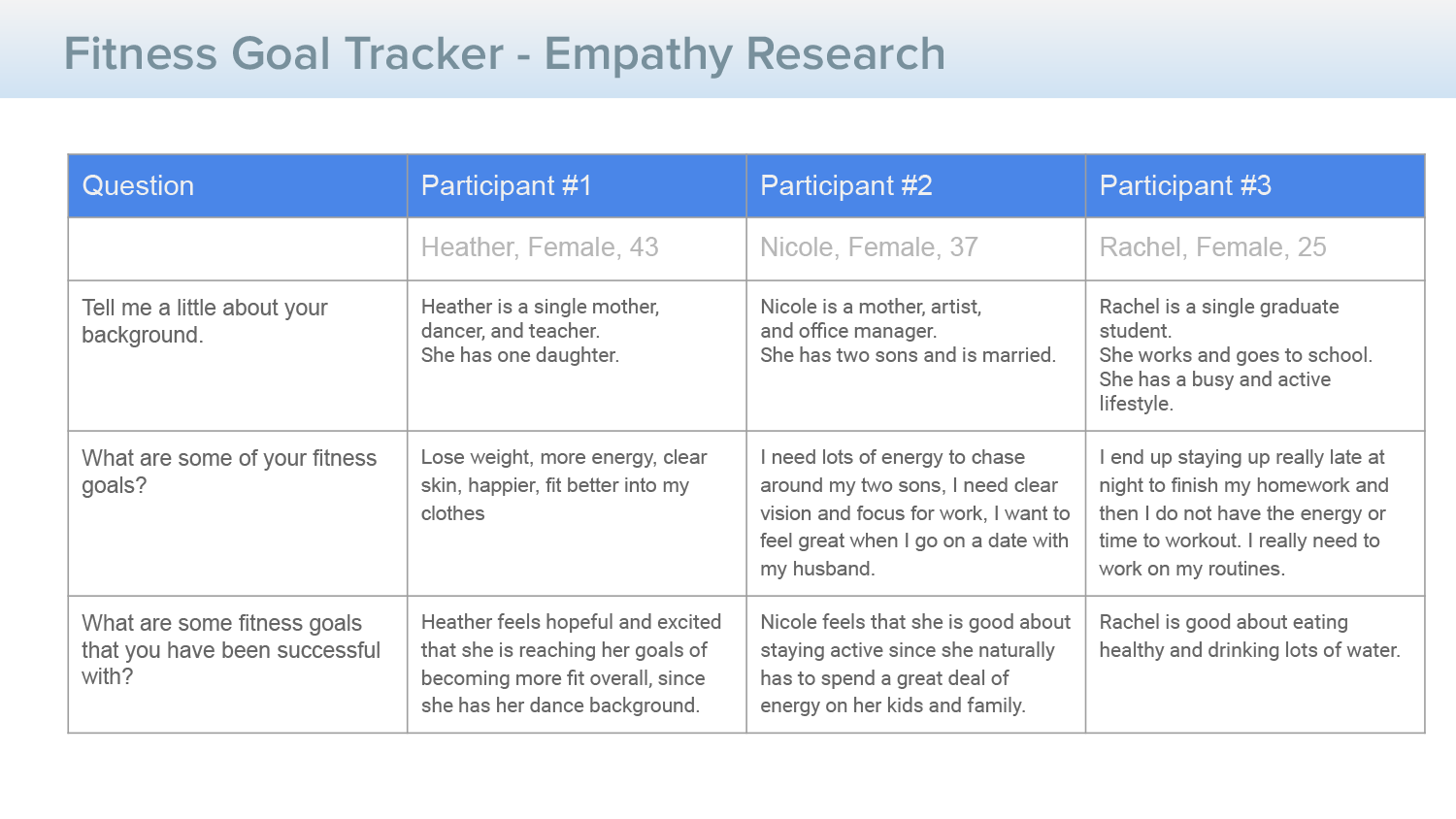
Our goal as UX Designers is to move past personal perspectives, to fully understand the problems and challenges that users face. Thus, we use UX research methods to invoke user empathy and better user experiences.
Persona
Research
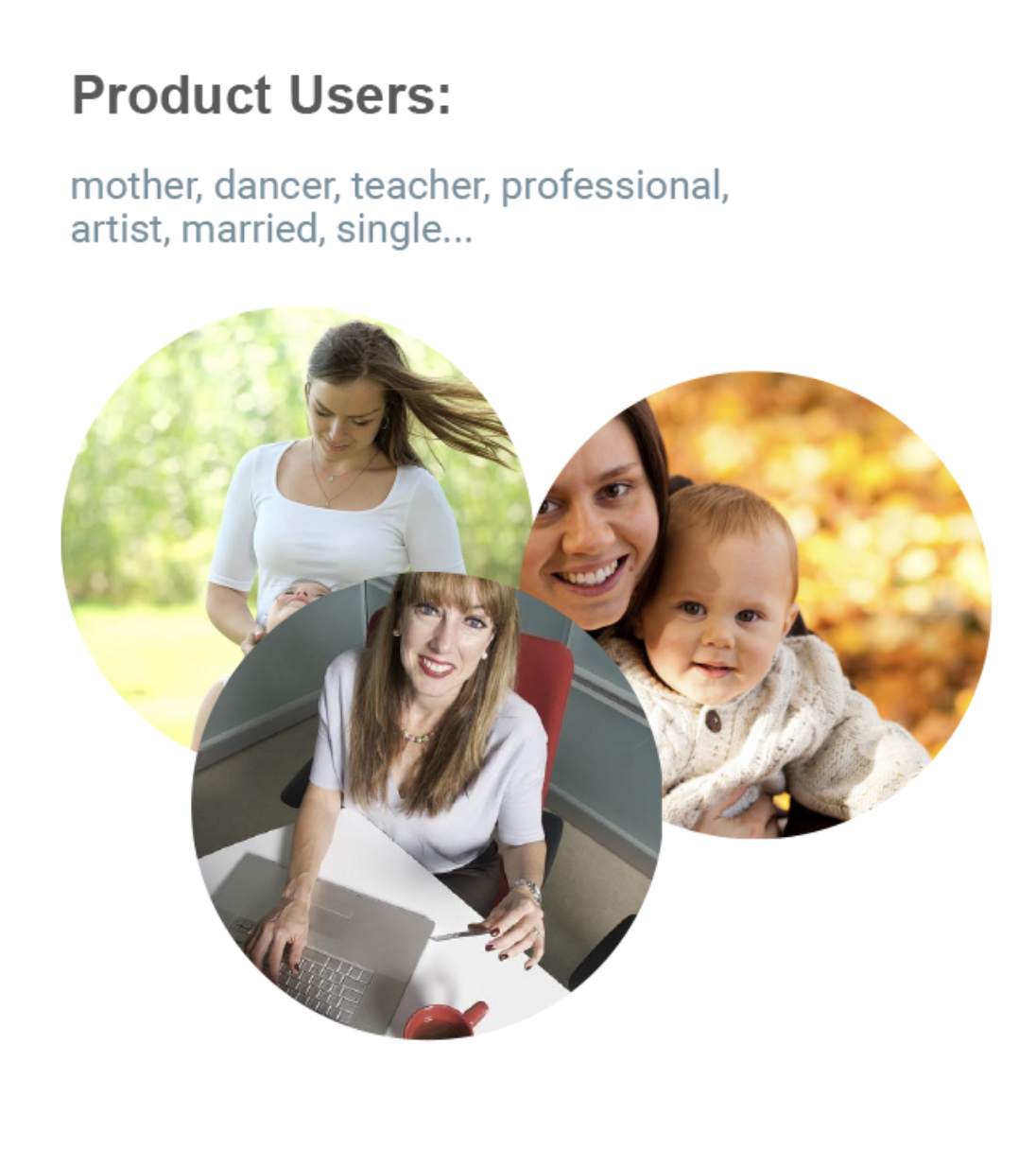
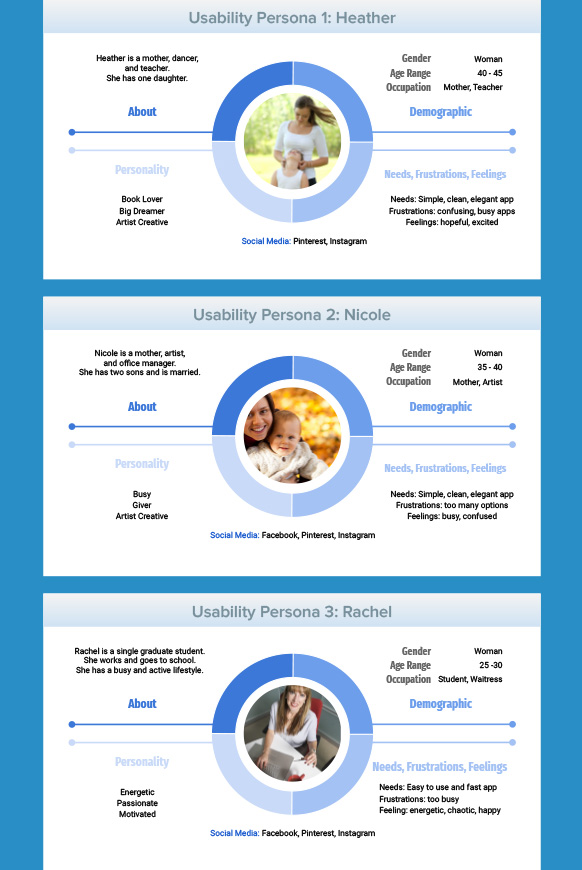
Since our target audience is women, the three main persona I focused on were all busy women from various backgrouns. One is a mother, another a professional and a third is a busy single young lady. I also found different age groups in their 20's, 30's and 40's. Each has their motivations, pain points and needs which were taken into consideration.
03. Persona
~
In order to have a more realistic and deeper perspective of a potential user, we create user research. A persona is an archetypical user who has the goals and characteristics similar to a larger group of users. We look at behaviors, patterns, attitudes, skills and backrounds of the users. We also place them into an environment specific to their lifestyle and needs.
Competitive
Research
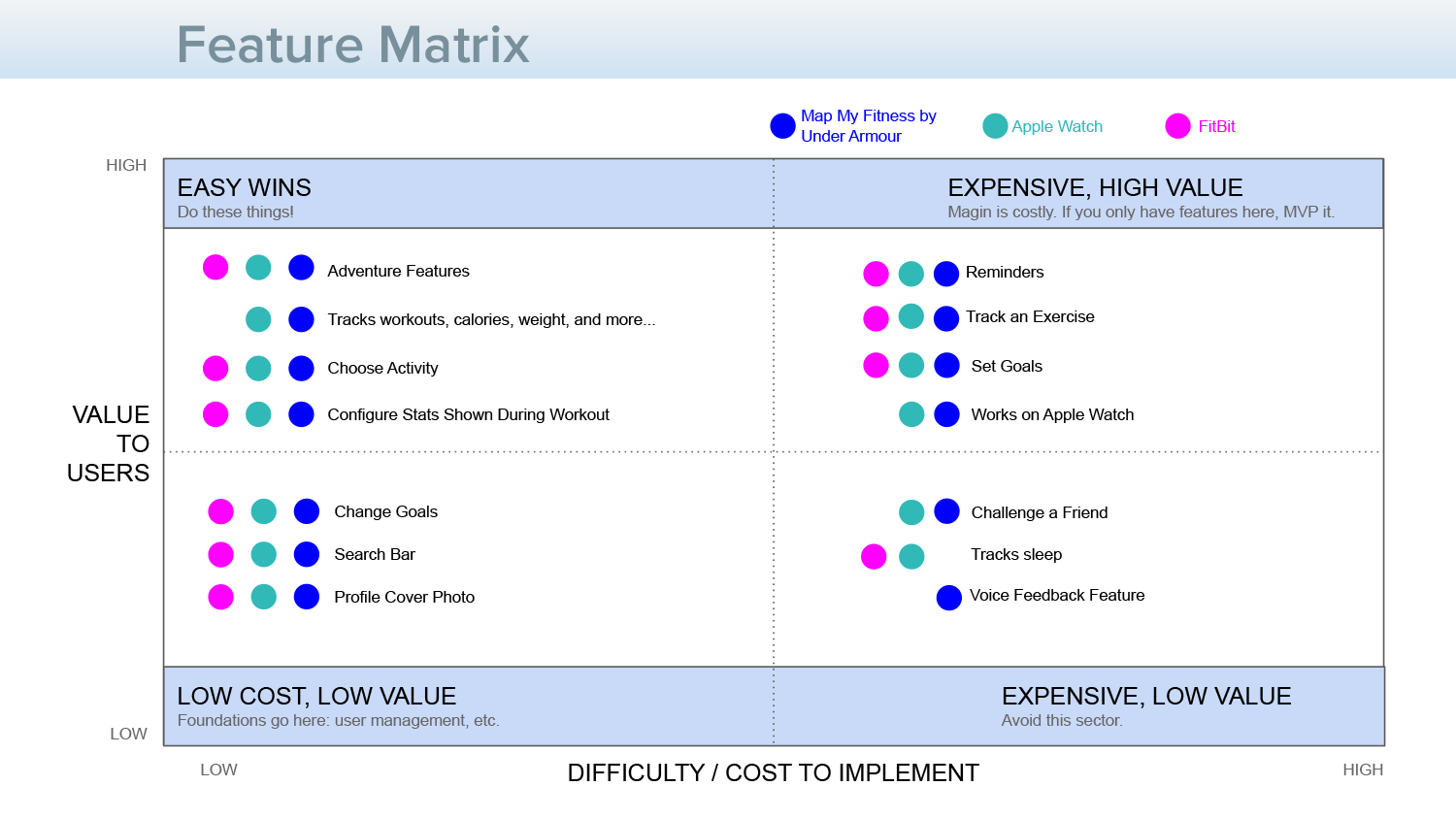
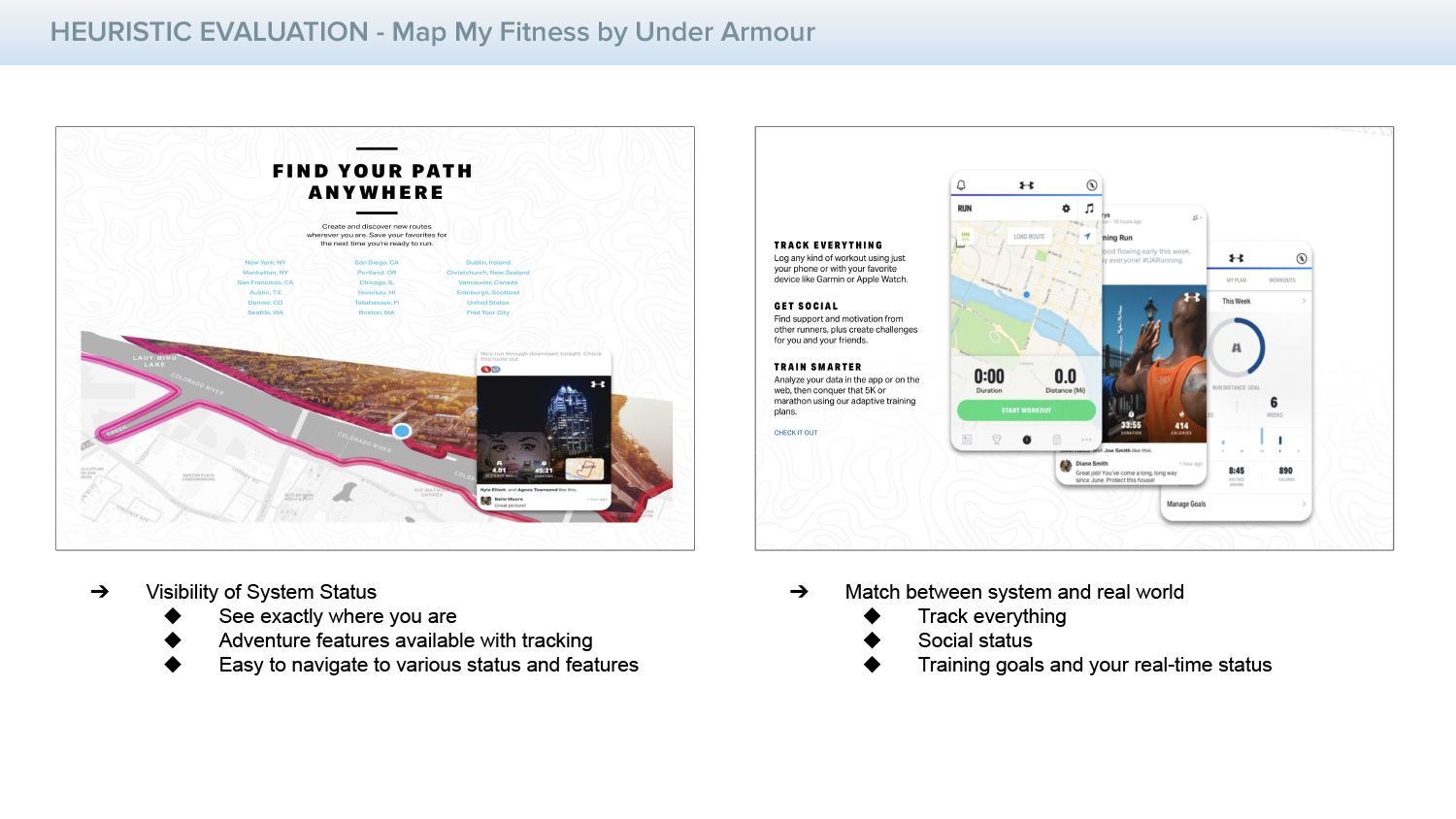
I also took a look at the current competition in the field, for fitness apps, taking into consideration their advantages, disadvantages and completing a feature matrix to pull all of the research together with helpful next steps.
04. Feature Matrix
~
Competitive Research is essential, in order to fully understand the current market. This helps us to know what is working, not working and where improvements can be made.
Ideate
User Flow
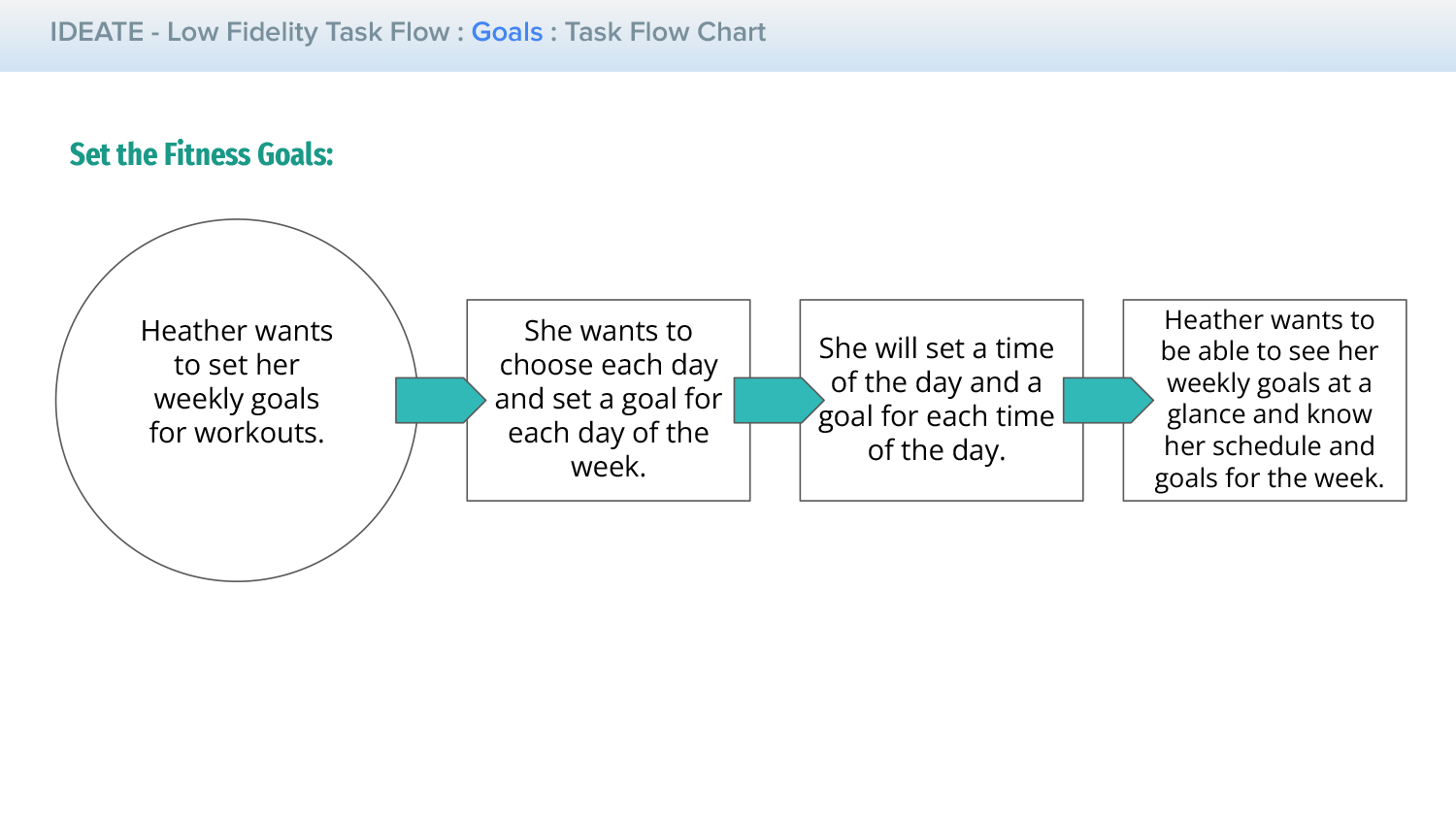
Next, I began to asses how the user flow might look and feel for a potential user and persona, taking into consideration their needs and backgrounds.
05. Ideate User Flow
~
The User Flow is an essential aspect of great UX Design and research. The journey through a digital experience should feel intuitive, natural and logical. This is why it is important to really grasp the User's goal for an app and where they hope to go, through their goals and experience. The Task Flow allows us to map this out, almost in the same manner that an architect would map out a user's journey through an airport, with logical flow, direciton and purpose.
Ideate
Wireframes
Wireframes are an essential next step in order to assess any potential design flaws, concerns and hilights, as well as to ensure that the user's needs are met and that the navigation is clear and concise.
06. Low Fidelity Wireframes
~
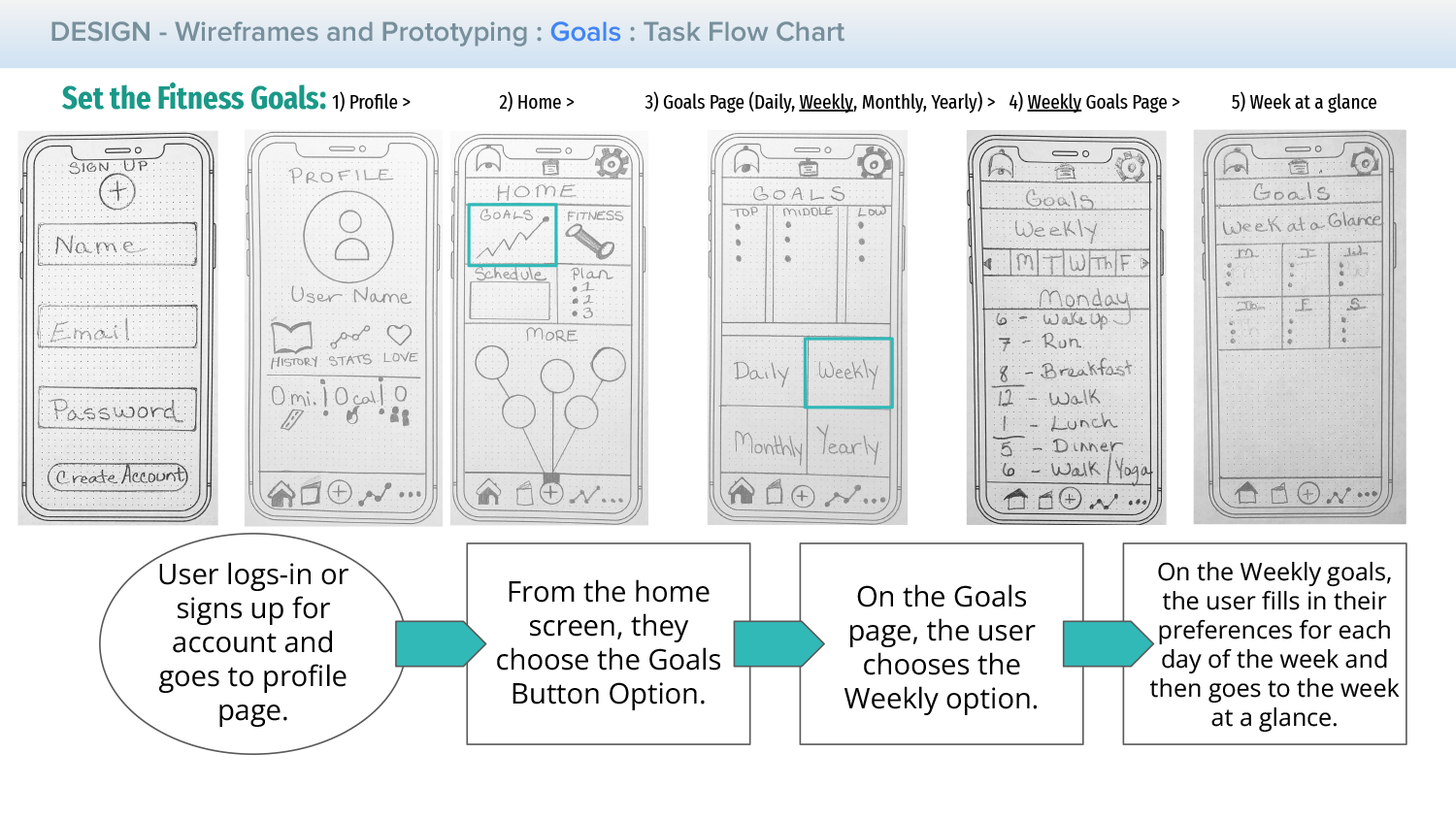
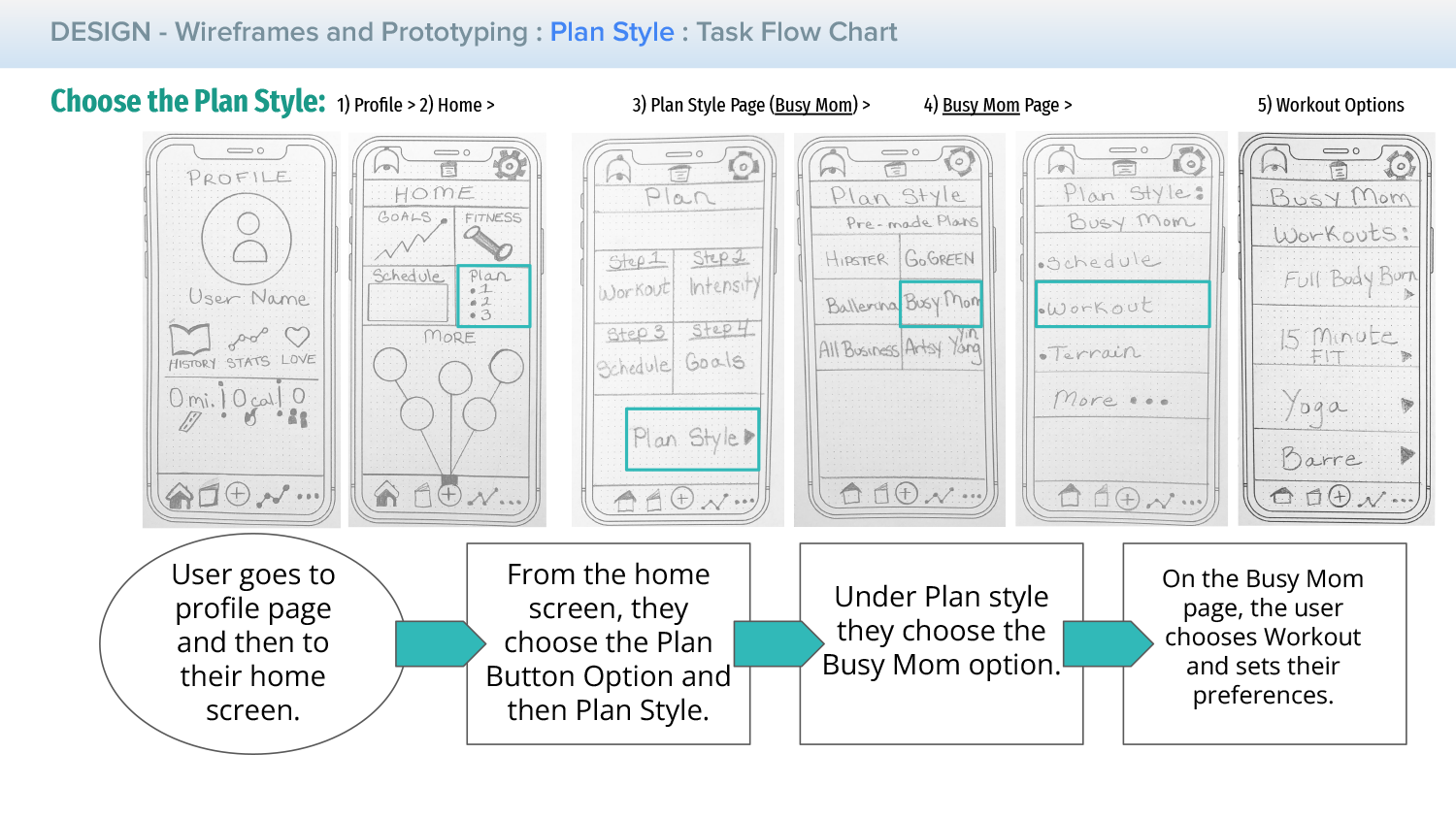
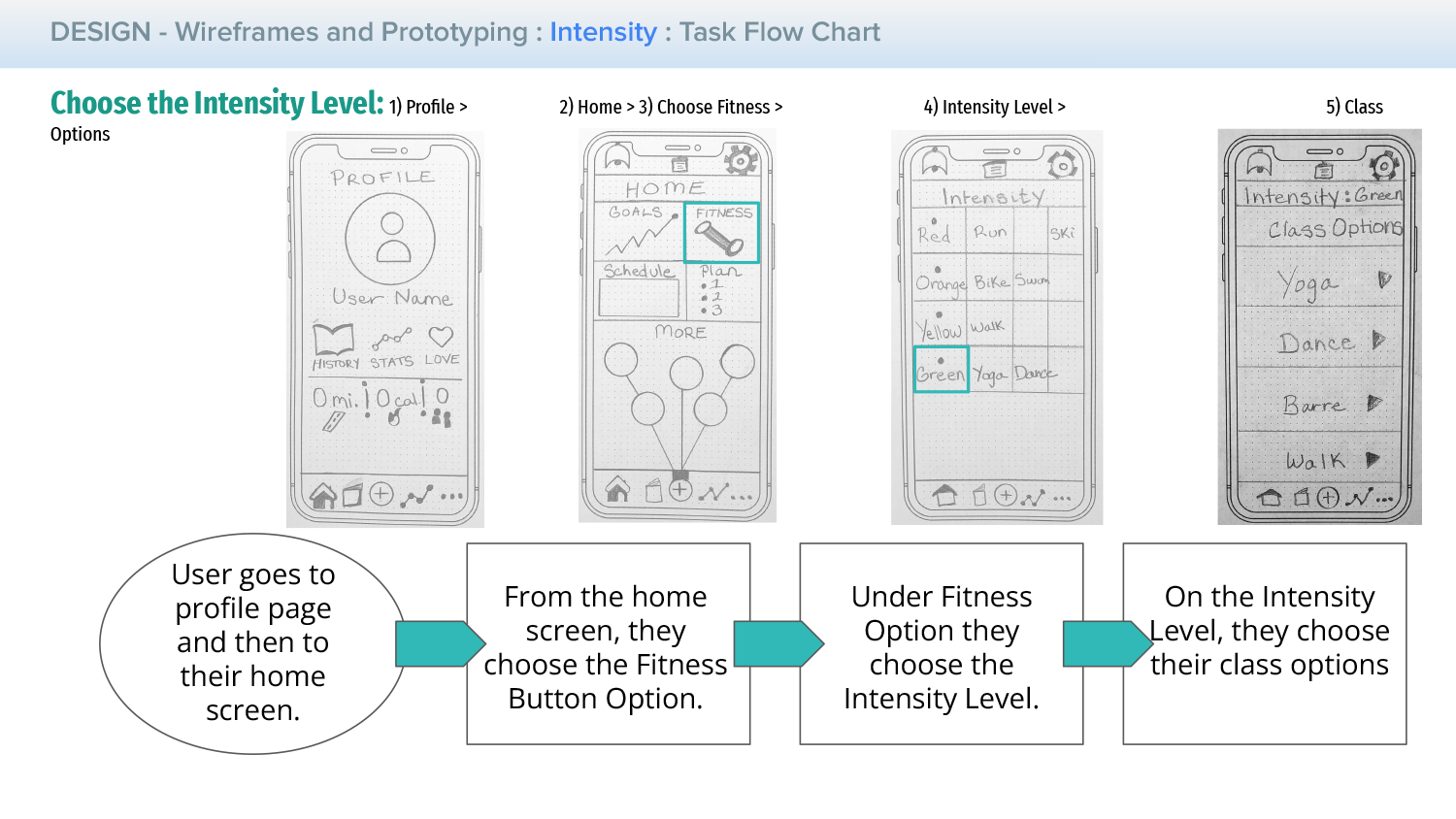
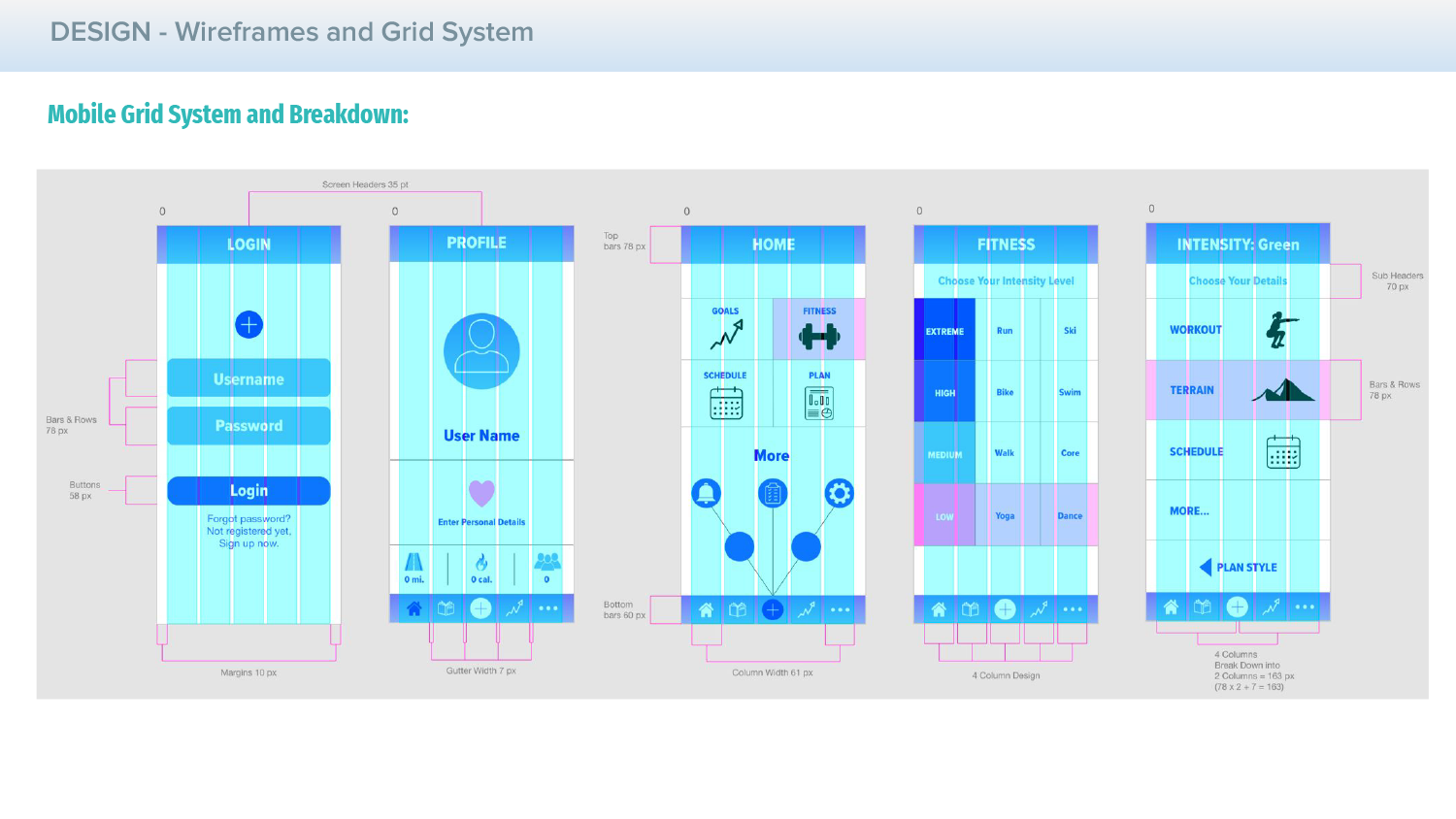
Wireframes help us to layout the grid system, alignment, initial designs, initial usability concepts, navigation and overall user flow. Here, we show 3 task flows for 3 main goals, sketched out in the wireframes.
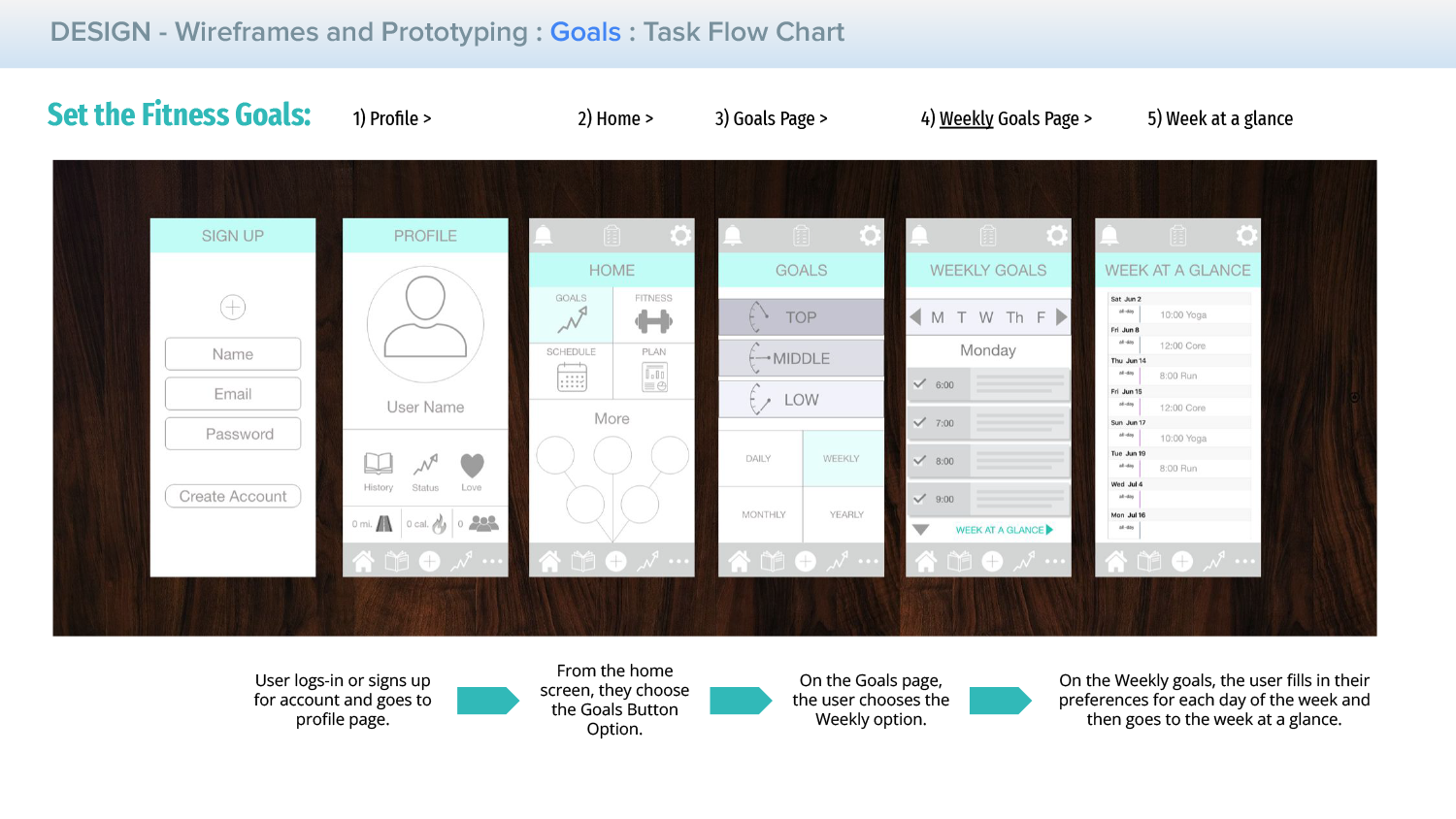
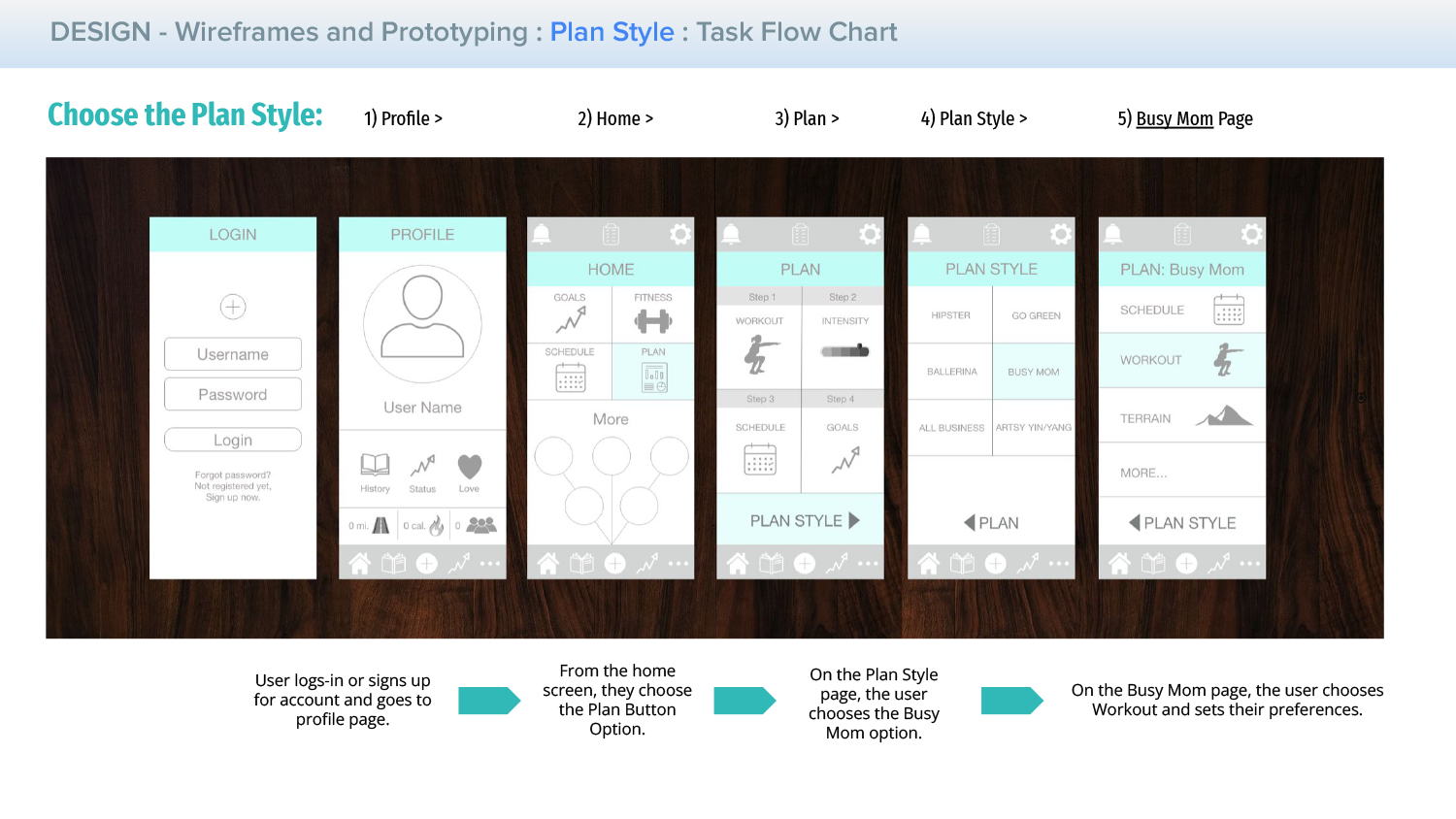
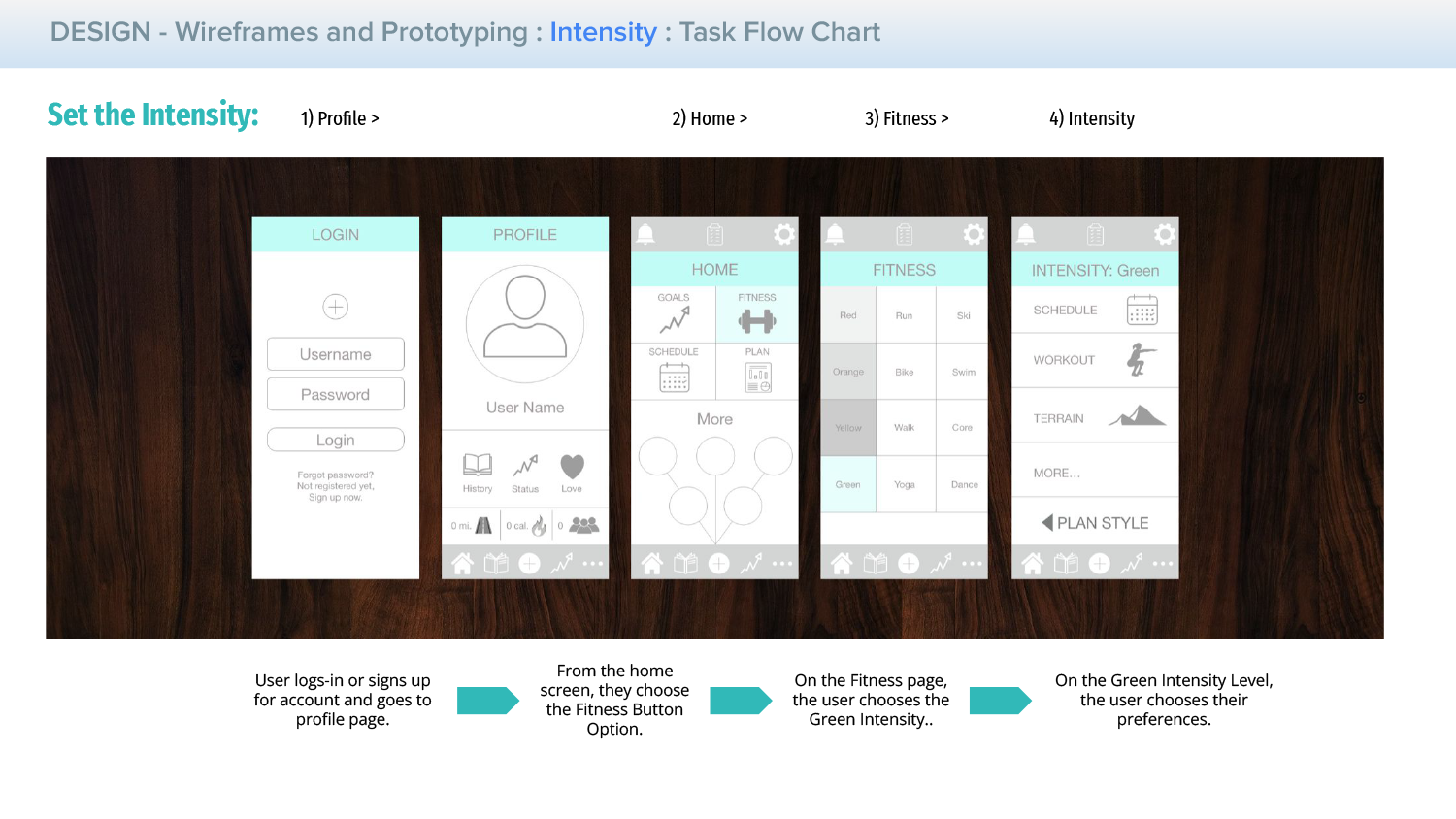
07. User Testing
~
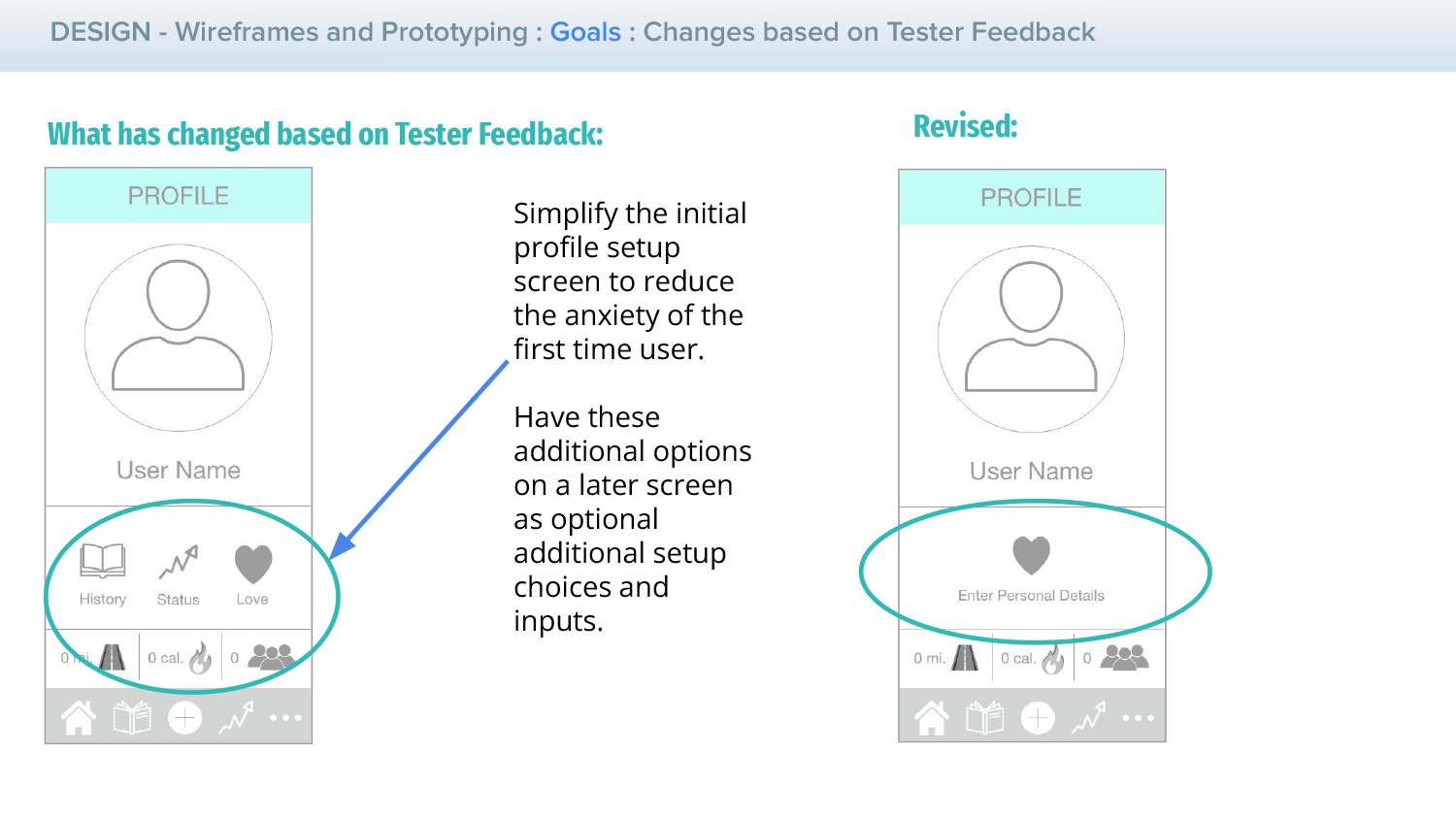
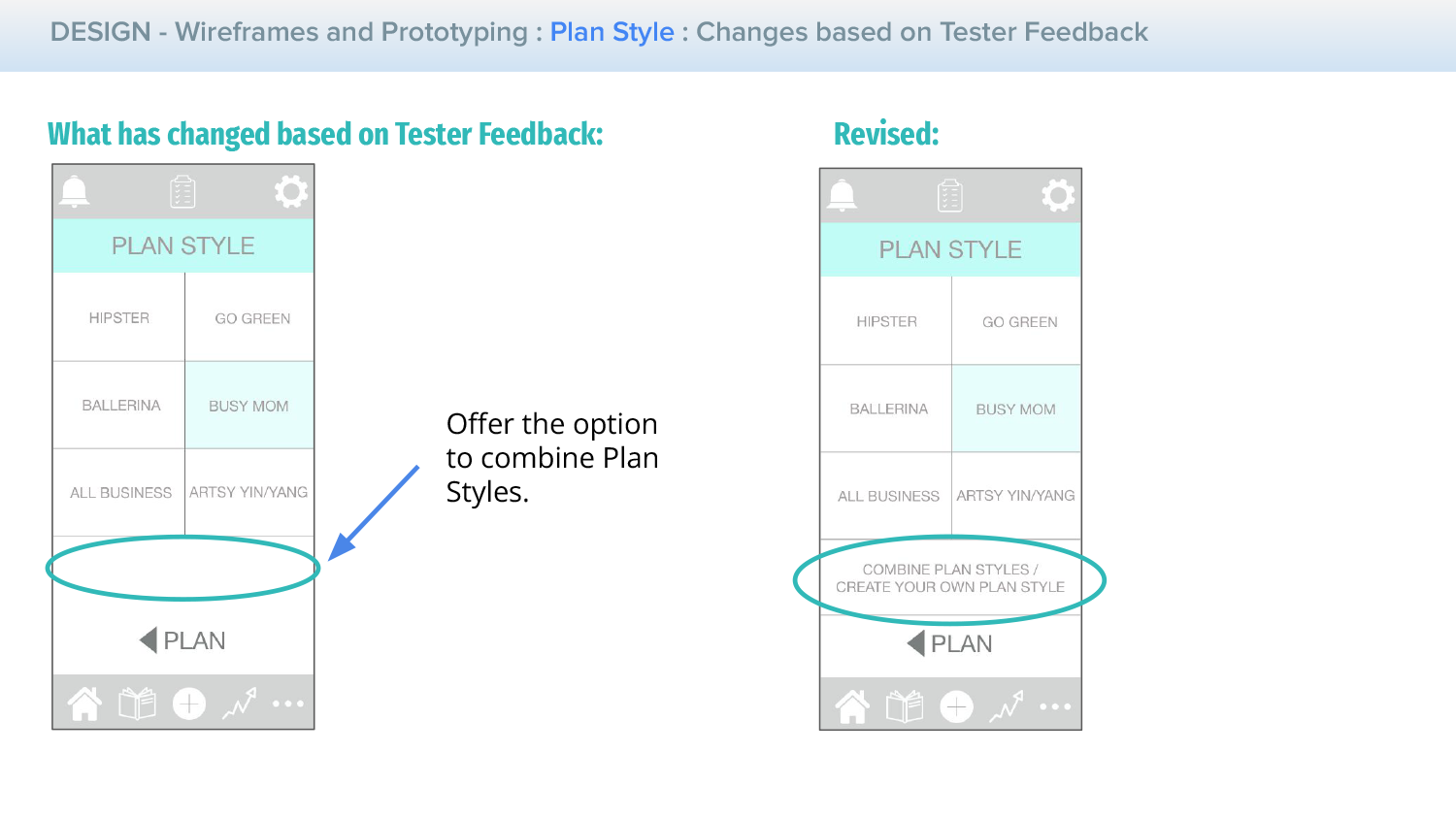
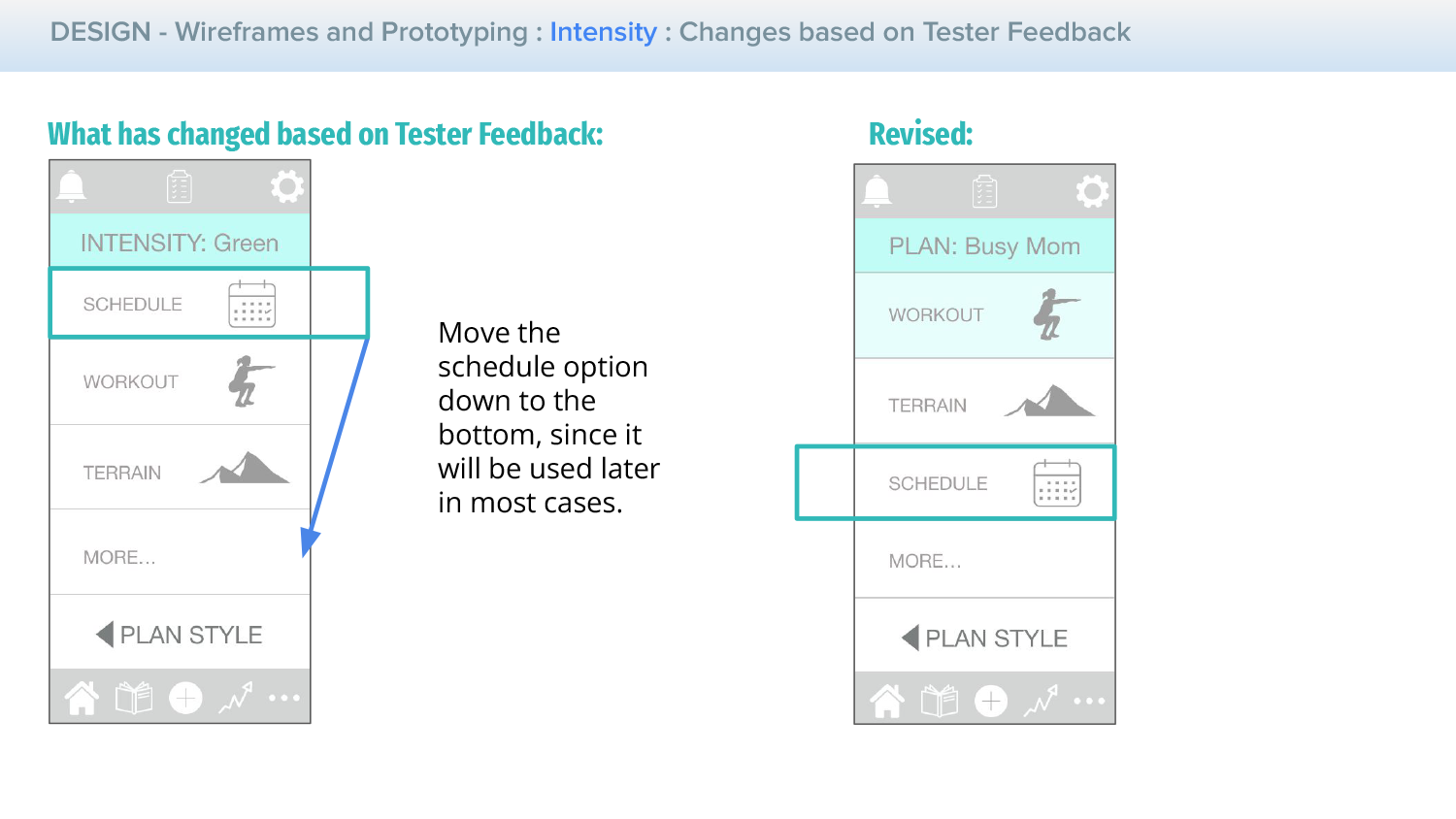
Once the low-fidelity wireframes are complete, we are ready to begin testing the userflows and main functionality on the users. A survey is created for them to test out the wireframes and answer some initial assessment questions, which gives us some helpful feedback for improvements and next steps for the design.
Online Survey: Multiple choice and short answer questions Testers: Heather, Female, 43; Nicole, Female, 37; Rachel, Female, 25 View Survey Link Here >
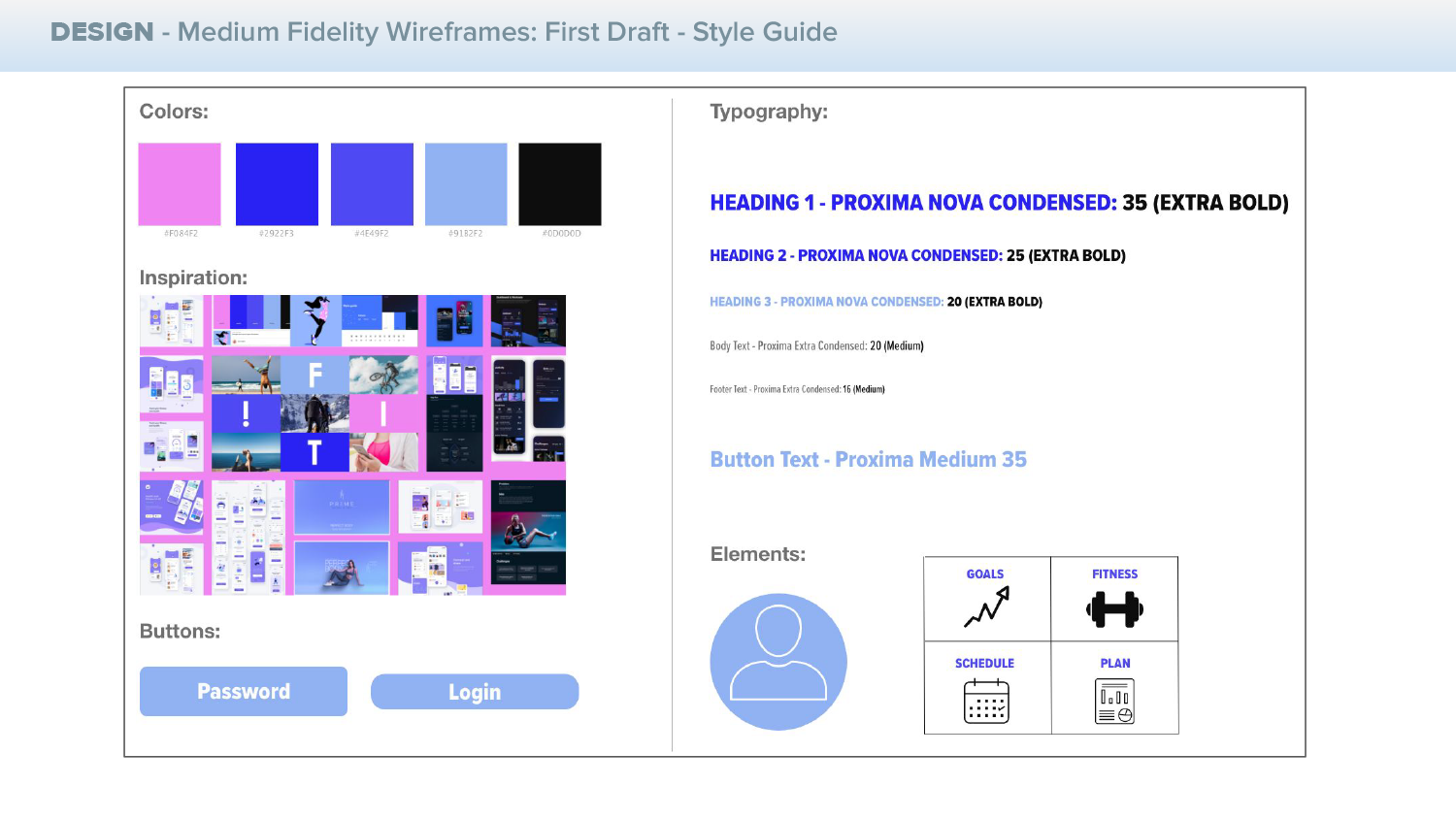
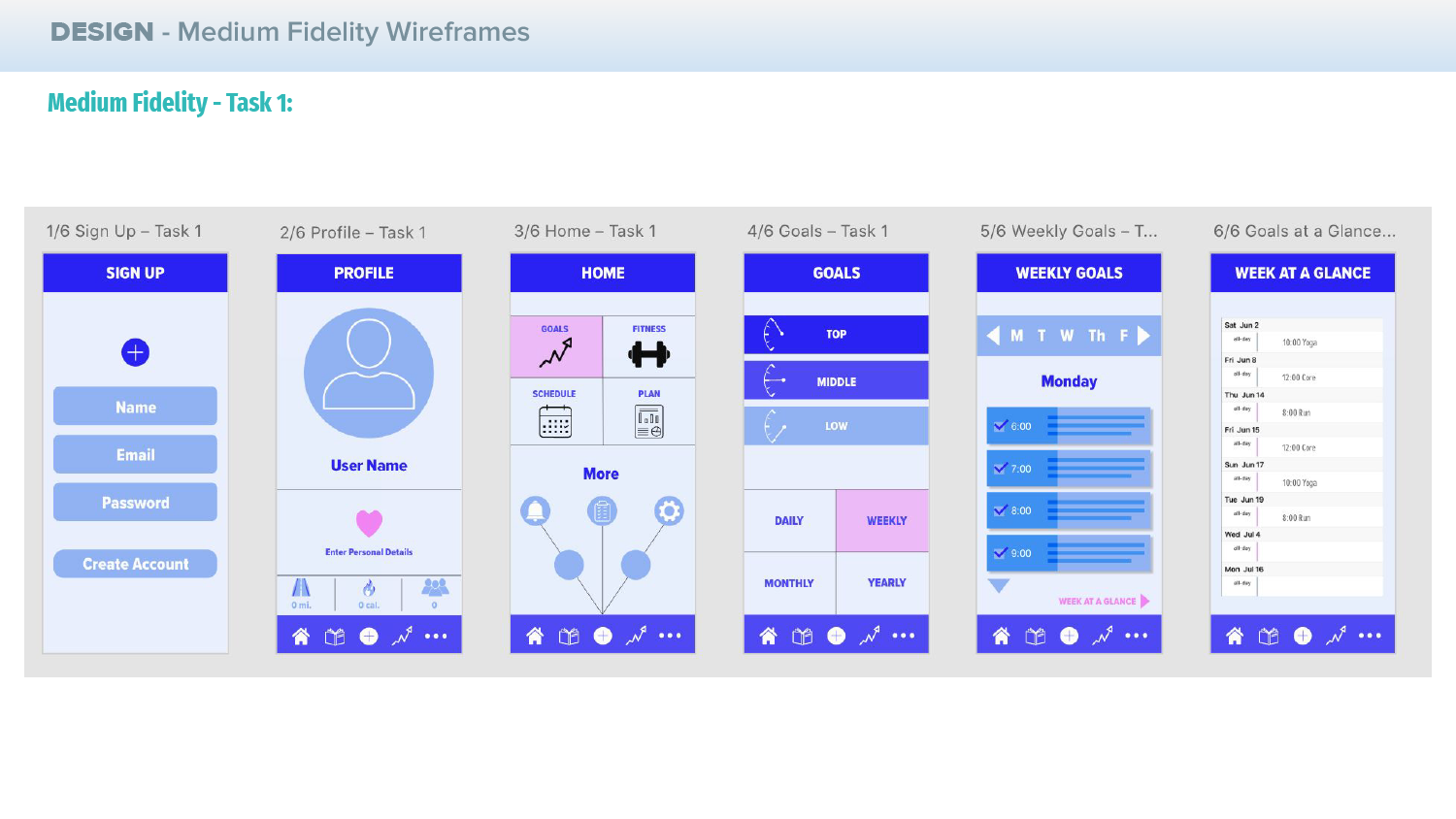
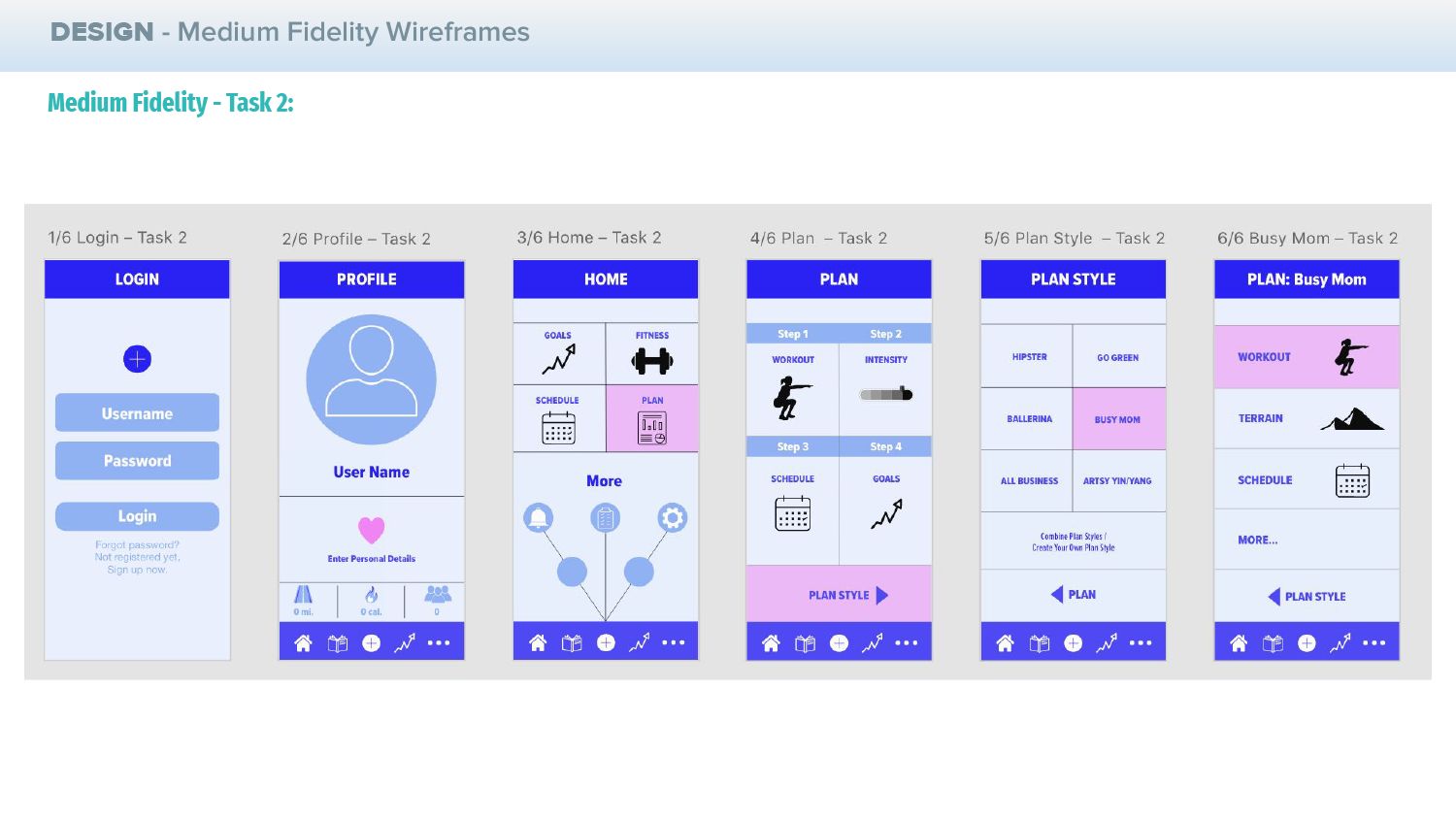
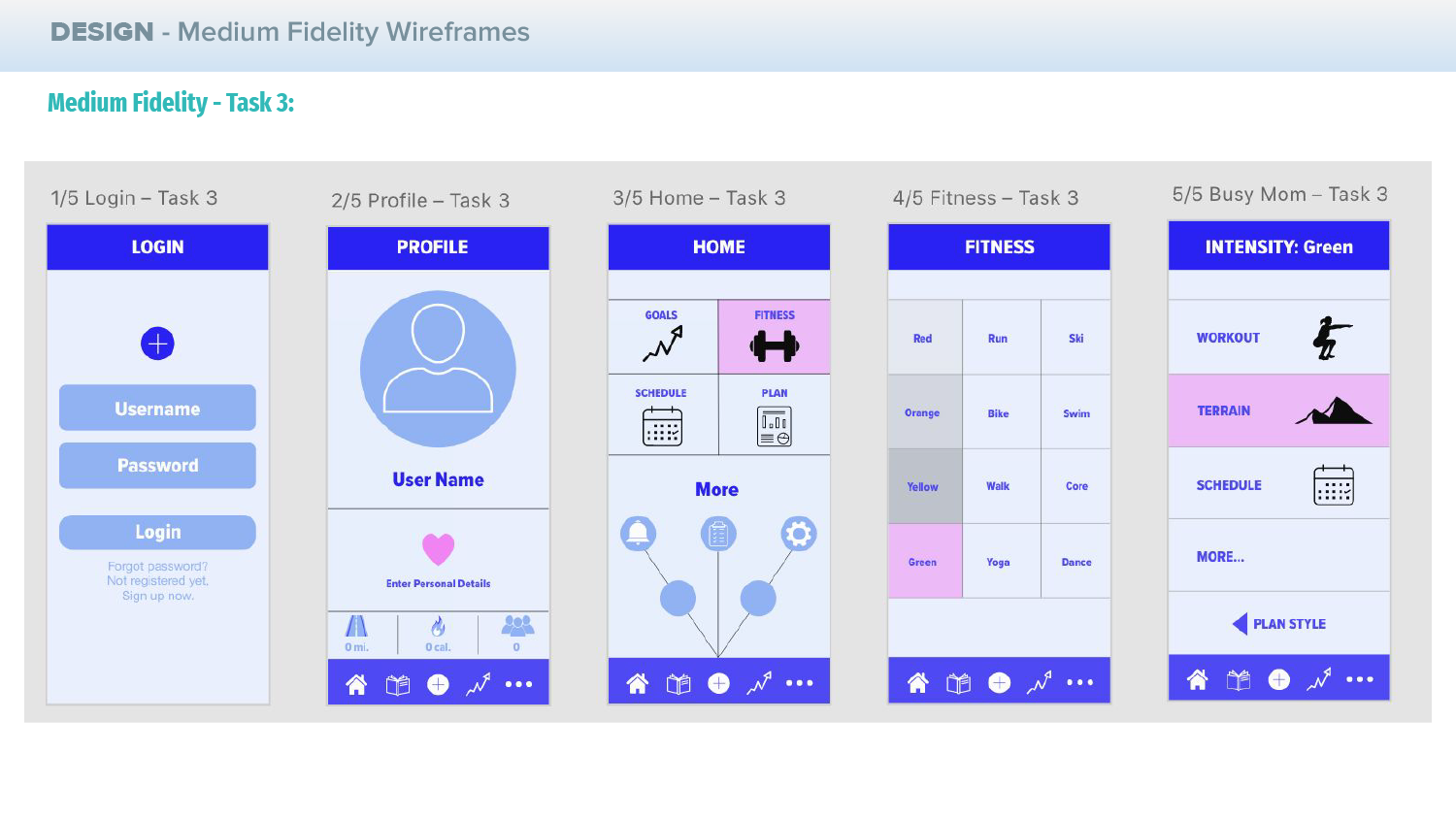
08. Medium Fidelity Wireframes
~
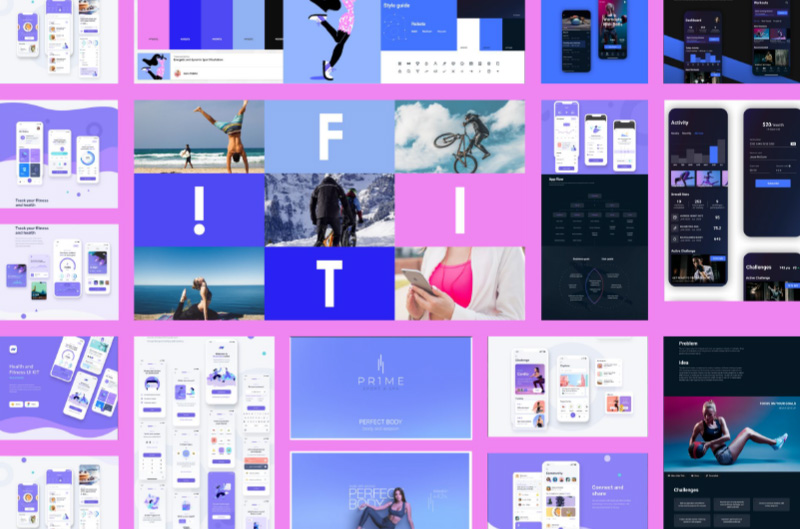
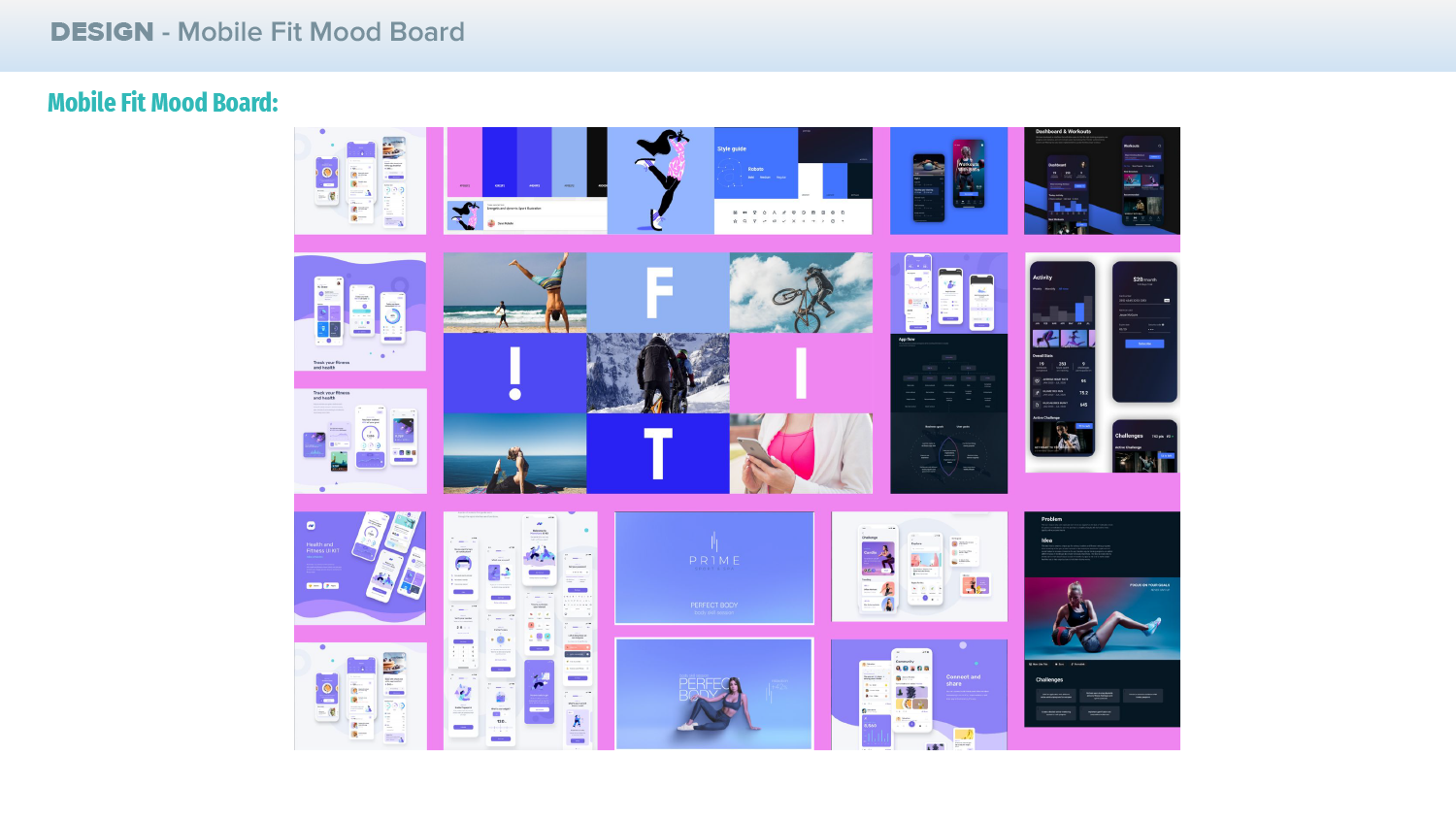
After the User Testing, we have new data to incorporate into the Medium Fidelity Wireframes and Designs. We can start to add colors and to define some of the design elements and further enhance the user flow, and to also start incorporating elements from the moodboard.
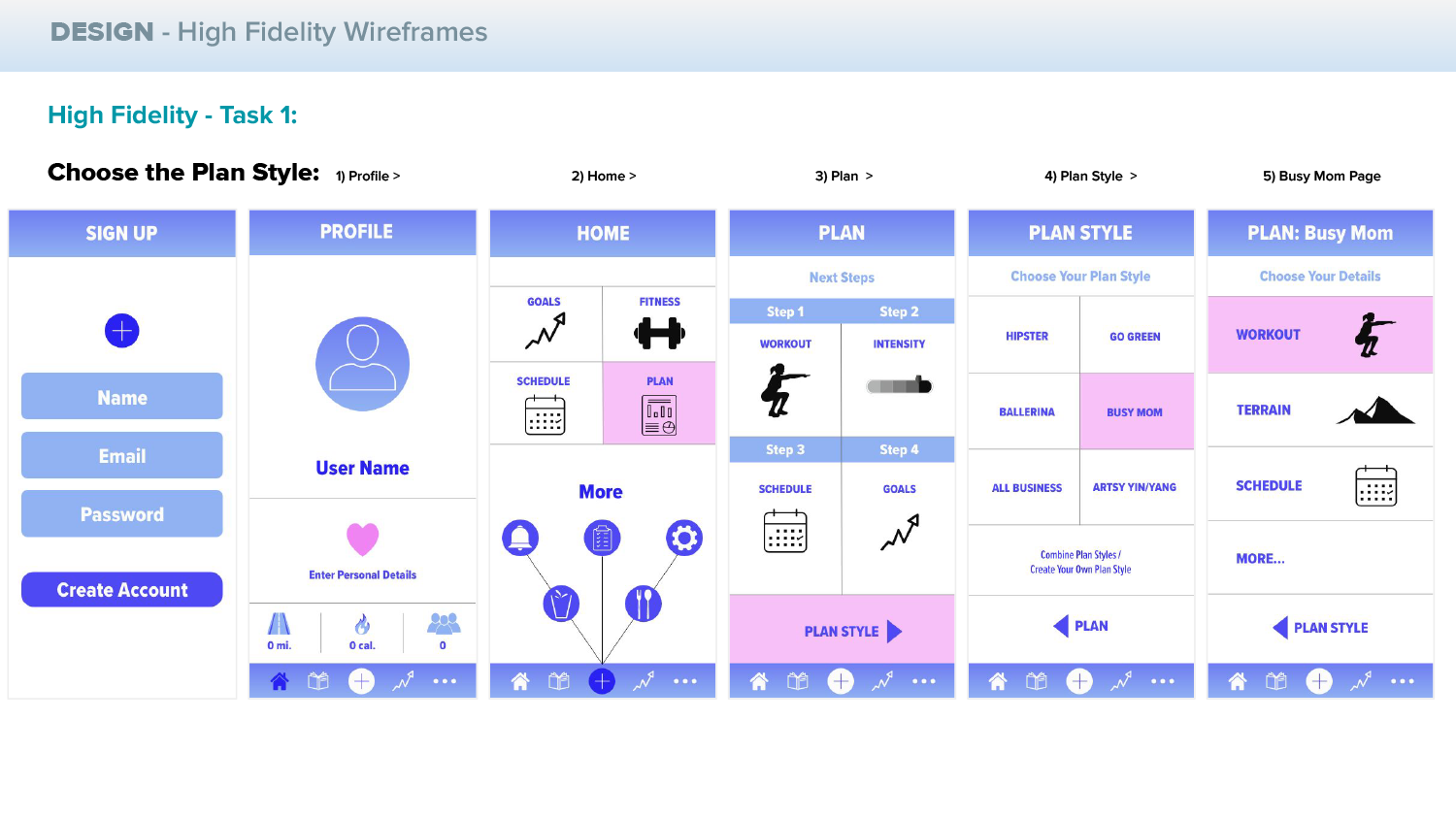
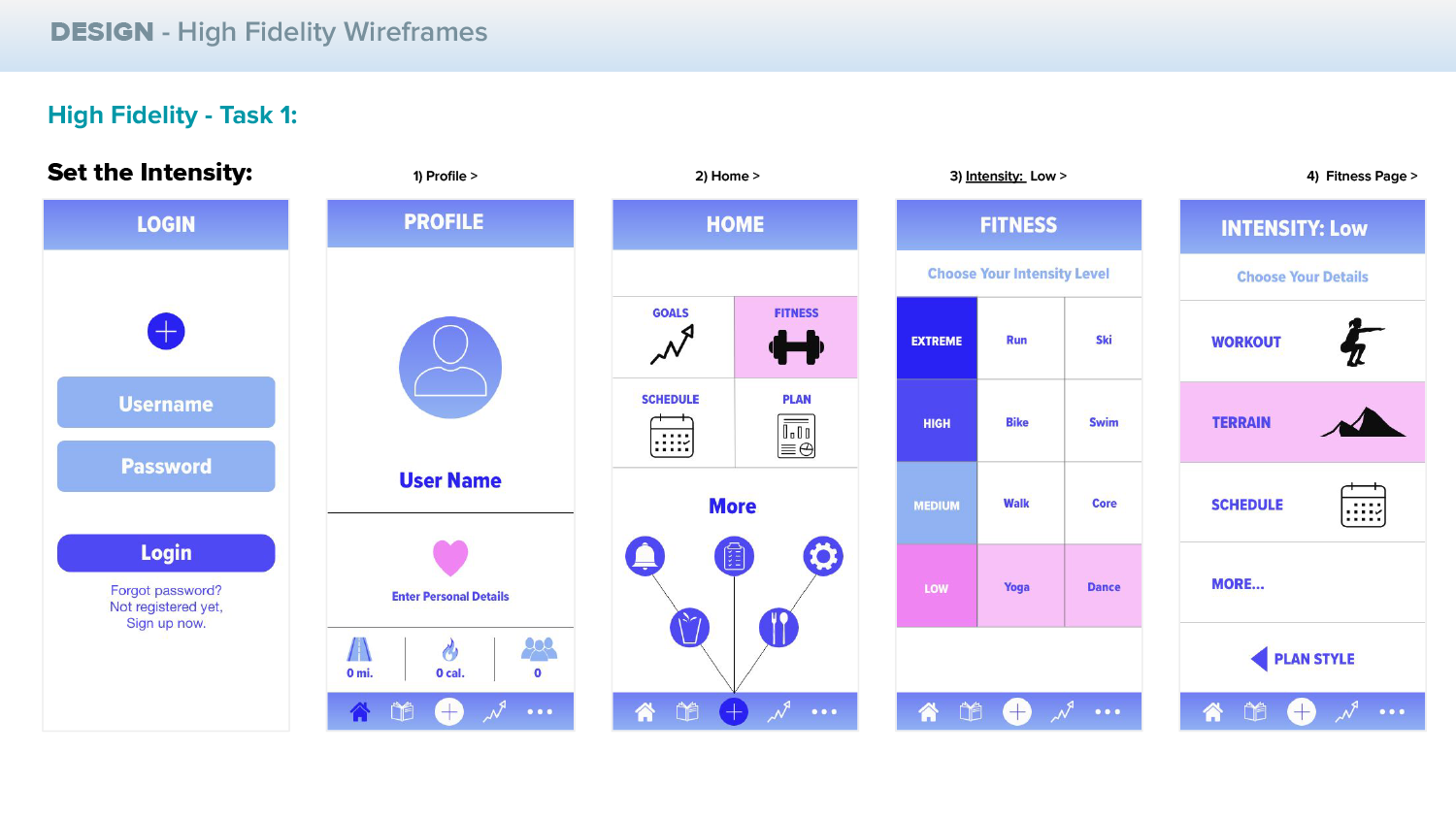
09. High Fidelity Wireframes
~
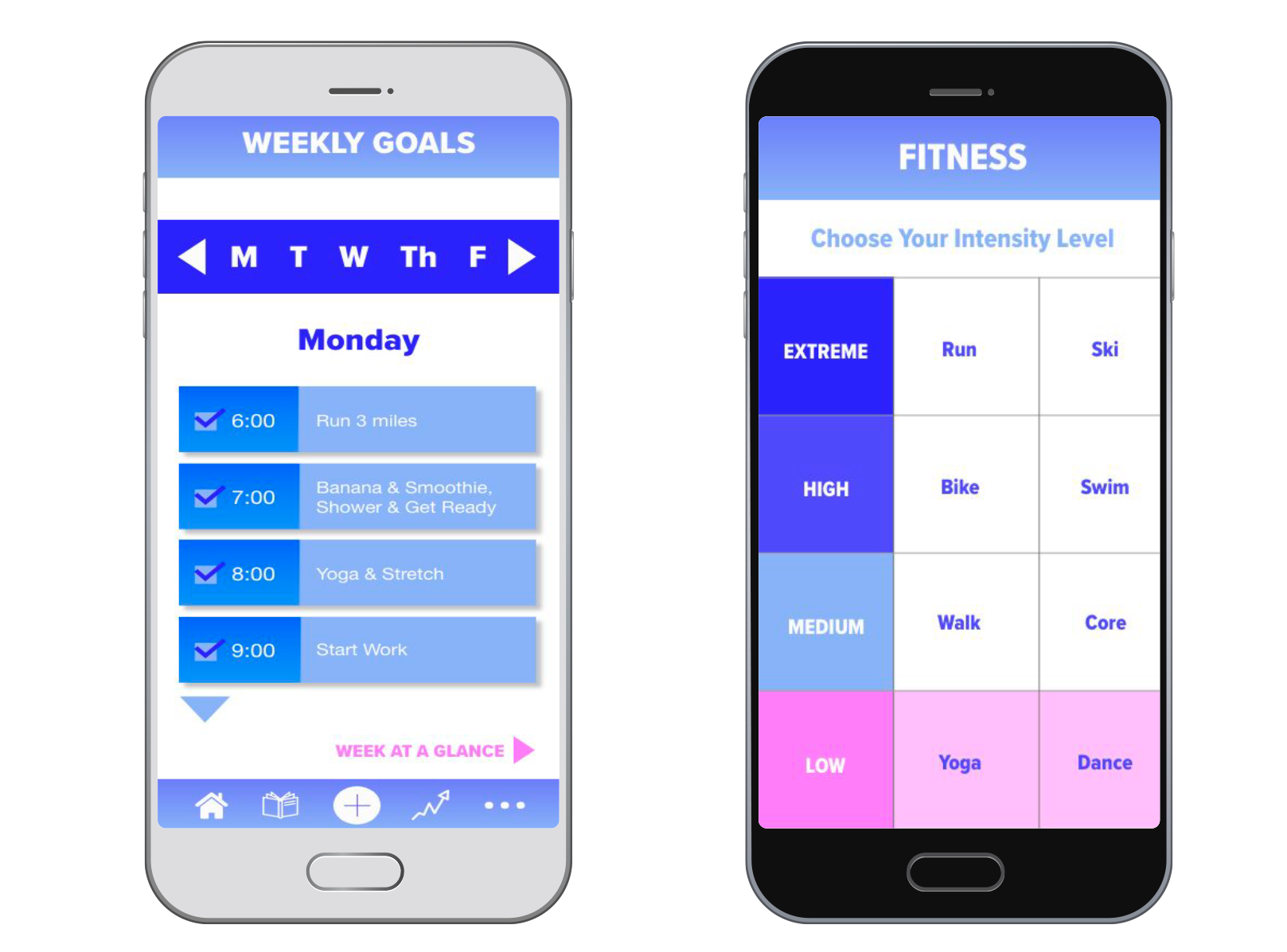
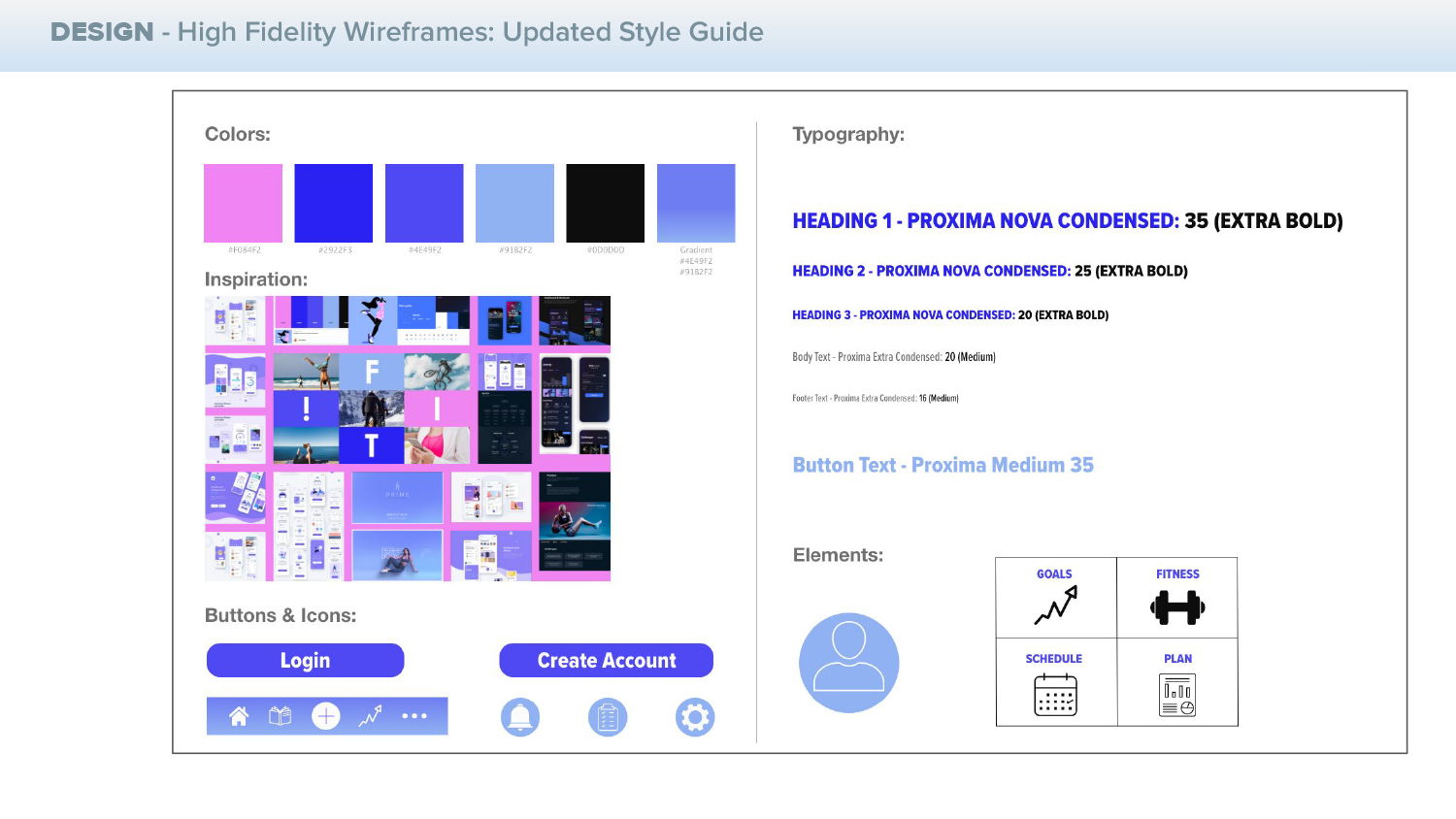
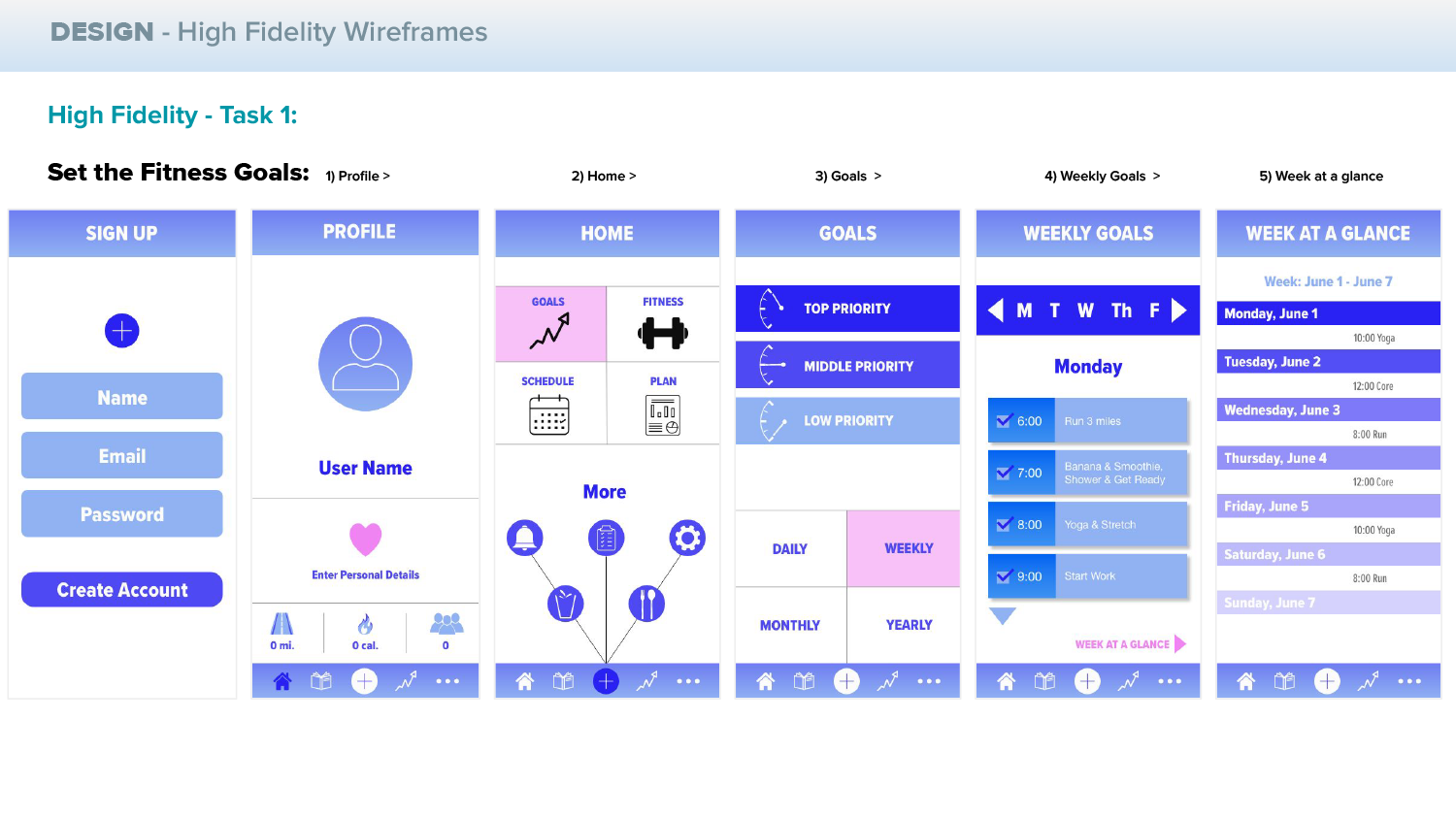
Now we are ready to finalize the wireframes and add the finishing touches, as well as to update the colors, text, icons and moodboard with the enhanced elements.
Conclusion:
~
The process of this project taught me the major points necessary in order to create successful user research, user journey, wireframes, final product design and implementation. If I had additional time to work on this project, I would be interested in building out the app in live development and also to pull some of the prototypes into videos that I could showcase as embedded videos or animations.
*At the moment, you are able to view my live prototypes at the links below.
Thank you for viewing my project.